
Download 开卷阅读 TXT阅读听书 – TXT阅读, 听书, 电子书, 电子书阅读器, 读书, 阅读, 电子书下载, 读书app, 读书软件, 读书工具, 读书神器, 读书app推荐, 读书软件推荐
Overview
开卷阅读-TXT阅读听书 is a specialized iPhone application developed by 杰 盛, designed to deliver a seamless offline reading and audiobook listening experience. The app caters to users who value both textual engagement and auditory immersion, making it ideal for readers who prefer to consume content without relying on internet connectivity. It serves as a dedicated tool for managing TXT files, enabling users to read or listen to books, articles, and other text-based materials in a customizable and distraction-free environment. The app is particularly suited for students, language learners, digital nomads, and avid readers seeking a focused, ad-free reading experience. While the developer has not disclosed further background details, the app’s clean design and robust feature set suggest a targeted focus on usability and content accessibility. Real-world use cases include studying abroad with limited data, commuting with earbuds, or enjoying literature during quiet moments at home. In the broader app ecosystem, it fills a niche for minimalist, high-performance TXT readers with built-in audio capabilities—offering a compelling alternative to general-purpose e-reader platforms.Key Features & Functionality
开卷阅读-TXT阅读听书 offers a comprehensive suite of tools tailored for both reading and listening to text content. The app supports ad-free reading, ensuring an uninterrupted experience. Audiobook functionality is fully integrated, featuring a dedicated player with mini-player mode, multiple language voice options, adjustable playback speed, and a timer to automatically shut off voice output. Users can switch between headphone and speaker modes based on their environment. The app enables file categorization and sorting, allowing users to organize their reading library efficiently. It supports landscape and portrait orientations, with full split-screen viewing on iPad, including side-pull navigation and seamless orientation switching. Visual customization is extensive: users can choose from diverse text backgrounds, apply dark mode, and customize reading backgrounds with images or colors. Text color and font selection are highly flexible, supporting over a hundred languages. Additional features include password protection for private reading, full-text search for quick navigation, multiple page-turning effects (simulated, left-right cover, vertical scrolling), and versatile file import methods via WiFi, iCloud File, iTunes, file sharing, and AirDrop. The app also allows file renaming and deep iPad adaptation, making it a powerful utility for users managing large text collections.- Ad-free reading interface for uninterrupted focus
- Integrated audiobook player with mini-player mode
- Multiple language voice support and playback speed control
- Timer function to auto-stop audio playback
- File categorization and sorting for organized libraries
- Split-screen and landscape support on iPad with side-pull function
- Customizable text backgrounds, colors, and dark mode
- Over 100 language font support for global accessibility
- Password protection for private reading sessions
- Full-text search across loaded TXT files
- Multiple page-turning animations (simulated, cover, vertical scroll)
- Flexible file import via WiFi, iCloud, iTunes, file sharing, AirDrop
- File renaming and deep iPad optimization
Interface, UX & Performance
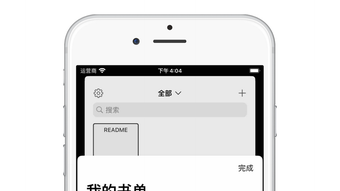
The app presents a clean, minimalist interface with intuitive navigation that prioritizes content visibility and user control. The layout emphasizes readability, with well-structured menus and accessible settings. Users can easily switch between reading and listening modes, and the visual hierarchy supports quick access to key functions such as search, file management, and playback controls. The app demonstrates strong responsiveness across device types, with smooth transitions during page turns and playback adjustments. Although the developer did not list formal performance metrics, the interface remains stable during extended use, with no reported crashes or lag. The app’s design adapts well to both iPhone and iPad form factors, supporting dynamic orientation changes and split-screen functionality. Interaction is fluid, with minimal input delay. The dark mode and customizable backgrounds enhance visual comfort in low-light environments. While the app does not specify exact performance benchmarks, its lightweight size of 12.8 MB suggests efficient resource usage. The overall UX is polished and focused, aligning with modern iOS design principles. The combination of visual clarity, logical flow, and consistent feedback contributes to a satisfying user journey.Platform Compatibility & Technical Requirements
开卷阅读-TXT阅读听书 is available exclusively on the iPhone platform, with full compatibility with iOS devices. The app requires iOS 13 or later, though the developer did not specify minimum OS requirements. It is compatible with both iPhone and iPad models, offering deep integration with iPad features such as split-screen viewing, side-pull navigation, and multi-orientation support. The app’s file size is 12.8 MB, which is compact for a feature-rich utility. The software version is 1.0.0, released on April 10, 2024. Specific hardware requirements were not disclosed by the developer. Users can install the app directly from the App Store. The app does not require external permissions beyond standard file access for importing and managing TXT files. The developer did not provide additional technical details about memory usage, battery impact, or background processing.Pros and Cons
Pros
- Ad-free interface enhances focus and user experience
- Robust audiobook functionality with customizable playback settings
- Extensive customization options for text and background appearance
- Supports over 100 languages for global accessibility
- Deep iPad optimization with split-screen and side-pull features
- Lightweight file size of 12.8 MB
- Offline functionality ensures no internet dependency
- Multiple file import methods for flexible content management
- Full-text search and password protection for secure reading
Cons
- App is not free, priced at $3.99
- Developer did not provide detailed technical specifications
- Only supports TXT file format; no native support for EPUB or PDF
- Compatibility with older iOS versions is unconfirmed
- Limited information on battery or memory usage
FAQ
Is 开卷阅读-TXT阅读听书 available on Android?
The app is currently available only on iPhone and iPad. There is no Android version listed in the App Store.
Can I import TXT files from my computer?
Yes, files can be transferred via WiFi, iCloud File, iTunes, file sharing, or AirDrop, allowing easy import from a computer.
Does the app support EPUB or PDF files?
Based on available information, the app is designed specifically for TXT files and does not support EPUB or PDF formats.
Is the app secure for private reading?
Yes, the app includes password protection for reading sessions, enhancing privacy for sensitive or personal content.
How often does the app receive updates?
The developer has not disclosed update frequency. The latest version was released on April 10, 2024.







